
stablevoy-mcp
io.github.stablevoy/stablevoy-mcp
USDT and USDC invoices, payment totals and docs for your Stablevoy stores. Keys cannot move funds.
Documentation
stablevoy-mcp

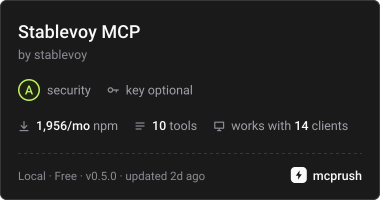
An MCP server for Stablevoy, the non-custodial USDT and USDC payment gateway. Ask your AI assistant to bill a client, check whether an invoice is paid or sum up the week, across all your stores:
- "Bill Acme 250 dollars for the October work" gives a payment link.
- "Has Acme paid?" gives the status and the transactions.
- "What came in this week in the Main store?" gives the totals per network.
- "How do I verify a Stablevoy webhook in PHP?" answers from the documentation.
It works with Claude Desktop, Claude Code, Cursor and any client that speaks the Model Context Protocol. It runs on your computer and talks only to the Stablevoy API.
What it can and cannot do
The server holds store API keys only. With them it can create invoices to receive money, cancel unpaid ones, read your stores and invoices, sum up a period and list transfers that matched no invoice. It also searches the public Stablevoy documentation, which needs no key. It cannot move funds, change your payout address, your webhooks, your limits, your keys or your stores: those need your wallet signature in the Stablevoy dashboard. Stablevoy never holds your money, so there is nothing to withdraw.
So even an assistant tricked by a malicious web page or document can only create invoices that pay you, cancel an unpaid one (the buyer is told not to pay it and your shop gets the invoice.cancelled webhook), and read your invoices. Reading is the real exposure: invoice amounts and your references. Keep that in mind before you connect the server to an assistant that also reads untrusted content, or run it read-only (below).
Connect
Requires Node.js 22.12 or later.
npx stablevoy-mcp login
This opens the Stablevoy dashboard in your browser. Sign in with your wallet, tick the stores the assistant may use and approve. The browser hands a one-time code back to the command on this computer, which exchanges it for one API key per store and keeps them in your config folder (~/.config/stablevoy-mcp on Linux, ~/Library/Application Support/stablevoy-mcp on macOS, %APPDATA%\stablevoy-mcp on Windows), readable by you only. The keys are named "MCP (your computer)" on the store pages of the dashboard, where you can revoke any of them.
Then add the server to your client.
Claude Desktop (claude_desktop_config.json), Cursor (.cursor/mcp.json) and most clients:
{
  "mcpServers": {
    "stablevoy": { "command": "npx", "args": ["-y", "stablevoy-mcp"] }
  }
}
Claude Code:
claude mcp add stablevoy -- npx -y stablevoy-mcp
One store without a login
Create a key on the store page of the dashboard and pass it instead:
{
  "mcpServers": {
    "stablevoy": { "command": "npx", "args": ["-y", "stablevoy-mcp"], "env": { "STABLEVOY_API_KEY": "sk_live_..." } }
  }
}
Without a key
With no login and no STABLEVOY_API_KEY the server still starts and lists every tool, prompt and resource, and tells the assistant it is not signed in. The store tools then answer not_signed_in with what to do, without calling the API; the documentation tools, the docs resources and the getting_started prompt work. Run npx stablevoy-mcp login to work with invoices.
Read-only
Add "STABLEVOY_MCP_READ_ONLY": "true" to env: create_invoice and cancel_invoice are then not offered at all.
Change the stores
npx stablevoy-mcp loginagain: the stores this computer has are ticked; untick the ones to drop. Their keys are revoked, the new selection replaces the old one.npx stablevoy-mcp storeslists the stores of this computer;npx stablevoy-mcp stores remove "Main"drops one and revokes its key.npx stablevoy-mcp logoutrevokes every key of this computer and deletes the file.
Adding a store always goes through the browser, since it needs your wallet. The assistant cannot change the set. Several accounts or sets: --profile work on these commands, and "STABLEVOY_MCP_PROFILE": "work" in the client config.
Tools
| Tool | What it does |
|---|---|
| list_stores | The connected stores, whether each can take payments and its EVM payout status. |
| get_store | A store's settings: networks, payout addresses, the EVM payout status, invoice limits, fee, website, return and webhook URLs. Read only. |
| create_invoice | An invoice for an amount in dollars ("19.99"), with an optional reference, return URL and payment window (expiresInMinutes, 15 to 10080; the store default when left out); returns the payment link, which you send to the buyer yourself. The same amount and reference return the same invoice instead of a second one. |
| cancel_invoice | Cancels an invoice no payment has been seen for, so the buyer is told not to pay it. Money that still arrives later marks it paid_late. |
| get_invoice | An invoice by id, with the payments received. |
| list_invoices | Invoices newest first, filtered by status, source, search and the days they were created. |
| summarize_payments | Totals for a period (last_7_days, last_30_days, this_month, last_month, last_3_months, or your own days, at most 92 per call): invoices per status, the amount invoiced and the money received per network and token. With several stores, each store and the total. |
| list_unmatched_transfers | Payments to your Tron wallet that matched no invoice, usually an exchange that took its fee out of the amount. Read only: you attach them to invoices in the dashboard. |
| search_docs | Up to five matching sections of the Stablevoy documentation. No key needed. |
| get_doc | One whole documentation page as Markdown, or openapi (every API endpoint) or errors (every error code with what to do). Only Stablevoy pages are read. No key needed. |
With several stores, tools take a store argument (the id or the exact name from list_stores); the server asks for it rather than guessing.
Every tool description says whether it needs a store key.
Prompts
Ready-made tasks your MCP client can offer in its prompt or slash-command menu. Each one tells the assistant which tools to call and what to report; none of them changes anything.
| Prompt | Arguments | What you get |
|---|---|---|
| payments_summary | period, store (optional) | Paid and unpaid invoices of the period per store and in total, the money per network and token, and the change against the period before. |
| unpaid_invoices | store (optional) | Invoices still waiting for payment, the ones expiring within 24 hours first, with the payment link to send the buyer again. |
| client_payments | reference, store (optional) | Every invoice of one order or client by its reference, with what was paid and the transactions. |
| review_unmatched_transfers | store (optional) | For each transfer that matched no invoice, the invoice it most likely belongs to, as a suggestion you then assign in the dashboard. |
| getting_started | none | How to start taking USDT and USDC, from the documentation, and how to connect this server. Needs no key. |
Resources
The public Stablevoy documentation as read-only resources, no key needed: every page listed in llms.txt as stablevoy://docs/<page> (for example stablevoy://docs/webhooks), plus stablevoy://docs/openapi (every API endpoint) and stablevoy://docs/errors (every error code with what to do). Nothing is read until a resource is asked for; if the site cannot be read, the client gets the reason, never an empty list.
Configuration
| Variable | Meaning |
|---|---|
| STABLEVOY_API_KEY | One store key; when set, the login keys are not used. |
| STABLEVOY_MCP_PROFILE | Which login profile to use, default by default. |
| STABLEVOY_MCP_READ_ONLY | true leaves create_invoice and cancel_invoice out. |
| STABLEVOY_API_URL | The API, https://api.stablevoy.com by default. |
| STABLEVOY_SITE_URL | The site the documentation tools read, https://stablevoy.com by default. |
The documentation tools and resources keep each page in memory for an hour, wait at most 10 seconds for an answer and read at most 1 MB per page.
Questions and bugs
Ask questions in GitHub Discussions, category MCP server. Open an issue in this repository for a bug, with the version and the smallest example that shows it. Never paste a key, not even a test one.
License
MIT
stablevoy-mcpnpm install stablevoy-mcp