
mcp-for-maya
io.github.Xxx91n/mcp-for-maya
AI agents' spatial awareness inside Autodesk Maya: audit, rollback safety, visual loop (Beta)
Documentation
English | 简体中文
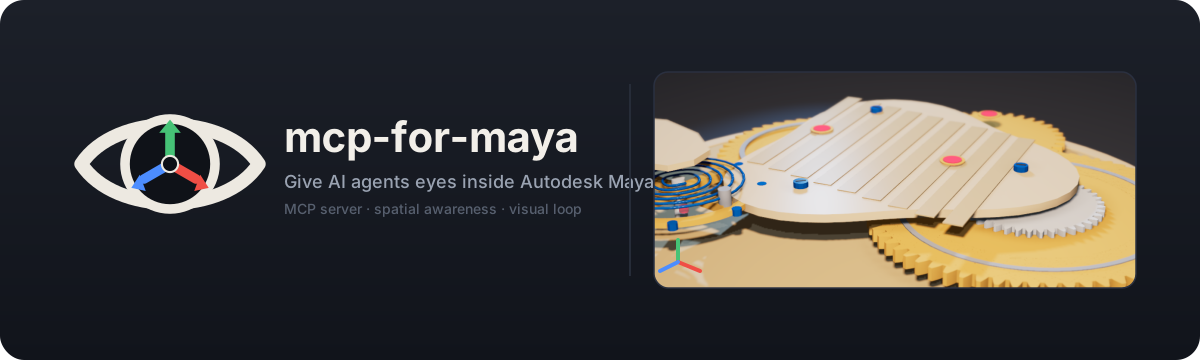
mcp-for-maya
MCP server giving AI agents spatial awareness of Autodesk Maya scenes



What this is
mcp-for-maya is a Model Context Protocol (MCP) server that lets AI agents (such as Codex and Claude) directly control Autodesk Maya for 3D modeling, scene planning, and production-ready work.
Core capability: AI no longer writes code blindly. It inspects scene objects, materials, and spatial relationships at any time, auditing changes against real engineering rules.
[!WARNING] This server runs Python code directly inside Maya by design, not by accident. For details, see docs/threat-model.md.

For live captures and examples, see docs/assets/showcase.md.
1. Install
# Install from PyPI (recommended)
pip install mcp-for-maya

# Or run instantly with uvx without installing
uvx mcp-for-maya

# Alternative: install directly from git with uv
uv tool install git+https://github.com/Xxx91n/mcp-for-maya.git

# Or install from cloned source
git clone https://github.com/Xxx91n/mcp-for-maya.git
cd mcp-for-maya
pip install -e .
2. Connect Maya
Option A: Automatic setup (recommended)
Once the MCP server is running, the agent automatically calls maya_setup_guide to guide you through connecting:
- Make sure Maya is open
- Give the agent any instruction (like "check my Maya scene")
- If not connected, the agent runs diagnostics and can install
userSetup.py(merges safely with backup before writing) - Restart Maya, and the command port opens automatically
Option B: Manual setup
Run this in Maya's Script Editor:
import maya.cmds as cmds

cmds.commandPort(name=":7001", sourceType="python")
Tip: Open Script Editor via Maya menu → Windows → General Editors → Script Editor. Make sure the tab language is set to Python (not MEL).
Option C: Persistent auto-connect
Save the following code as userSetup.py in your Maya scripts folder:
| Platform | Path |
|---|---|
| Windows | %MAYA_APP_DIR%\<version>\scripts\ |
| Linux | ~/maya/<version>/scripts/ |
| macOS | ~/Library/Preferences/Autodesk/maya/<version>/scripts/ |
import maya.cmds as cmds

cmds.evalDeferred('cmds.commandPort(name=":7001", sourceType="python")', lowestPriority=True)
Multiple Maya instances
Each commandPort binds to a specific host:port. A second instance cannot use the same port, so each Maya instance must use its own port. Typical layout:
| Maya instance | commandPort | Notes |
|---|---|---|
| Instance A | :7001 python | Main workspace |
| Instance B | :7002 python | Second instance |
| Instance A | :7011 mel | MEL port (auto-detected and skipped to avoid spamming errors) |
Run cmds.commandPort(name=":<port>", sourceType="python") in each instance's Script Editor (or each one's userSetup.py). Auto-scan is the primary method — the server regularly scans local Maya listening ports and sets up connections. If an instance is missed, call add_session(host, port) manually. If port scanning touches other local TCP services, set MAYA_MCP_INCLUDE_PORTS=7001,7002 (comma-separated, ranges like 7005-7010 supported) to limit the scan, or use MAYA_MCP_EXCLUDE_PORTS=<port> to ignore specific ports.
Note: A commandPort does not persist across sessions — it closes when Maya quits. To keep it persistent, add it to userSetup.py (Option C).
Troubleshooting
| Issue | Solution |
|---|---|
list_sessions returns empty | Run maya_setup_guide(action="diagnose") |
| Port already in use | Close the other Maya instance or pick another port |
| userSetup.py does not run | Check that the file is in the right scripts folder, then restart Maya |
| Blocked by firewall | Make sure localhost:7001 can be accessed locally |
| Second Maya instance not found | Each instance needs its own port (same port causes bind conflicts); if scanning still misses it, use add_session(host, port) |
| Script Editor spams syntax errors | An older symptom of scanning MEL ports. Current versions ignore non-Python ports automatically; if it still happens, exclude the port with MAYA_MCP_EXCLUDE_PORTS |
3. Configure your MCP client
Codex ~/.codex/config.toml:
[mcp_servers.maya]
command = "uvx"
args = ["mcp-for-maya"]
tool_timeout_sec = 120
For git source installs: args = ["--from", "git+https://github.com/Xxx91n/mcp-for-maya.git", "mcp-for-maya"]. For local source builds, set command = "python", args = ["-m", "maya_mcp_server"], and point PYTHONPATH to <repo>/src in env.
4. Start using it
Chat naturally in your agent:
"Check out what's in my Maya scene, then put together a display shelf by the entrance"
The AI automatically calls scene_snapshot() → inspects the scene → builds the model → audits the result with scene_review().

Every scene edit follows the ICEV workflow (also provided as an agent skill card in skills/icev-workflow):
┌──────────┐     ┌──────────┐     ┌──────────┐     ┌──────────┐
│ INSPECT  │ ──→ │ COMPUTE  │ ──→ │ EXECUTE  │ ──→ │ VERIFY   │
│ snapshot │     │  plan    │     │  apply   │     │  audit   │
└──────────┘     └──────────┘     └──────────┘     └──────────┘
- INSPECT: Call
scene_snapshot()to capture full spatial scene data - COMPUTE: Calculate positions, sizes, and spacing from the spatial data
- EXECUTE: Run Maya Python code via
execute_code() - VERIFY: Check the outcome with
scene_assert()+scene_review(); GUI sessions can use visual tools to verify visually

| Capability | Tools | Notes |
|---|---|---|
| 🧊 Spatial awareness | scene_snapshot scene_inspect scene_measure | Single call gets the full scene spatial model; precise distance, overlap, and gap measurements |
| 🎨 Aesthetic analysis | scene_aesthetics | 5 dimensions: color balance (60-30-10), spatial composition (golden ratio / rule of thirds), proportion & scale (ergonomics), lighting quality (three-point setup, fill ratio, color temperature, decay), visual flow |
| 🎬 Camera planning | camera_create camera_orbit | 8 industry-standard camera types + orbit animation |
| 🛡️ Disaster recovery | scene_checkpoint scene_rollback scene_checkpoint_list | In-memory scene snapshots; rollback rebinds the scene back to the original file |
| 🧠 Scene planning | scene_plan | Scene health checks, zone balance, layout tips, conflict prevention, natural-language planning |
| 📋 Engineering audit | scene_review scene_validate scene_assert | 11 deterministic checks (0-100 score) + custom constraint checks + scene assertions |
| ⚡ Code execution | execute_code write_module | Run arbitrary Python in Maya / inject reusable modules |
| 👁️ Visual loop | scene_viewport_snapshot scene_render_preview | WYSIWYG viewport capture + single-frame playblast preview (GUI sessions only) |
| 🔌 Session management | list_sessions add_session maya_setup_guide | Multi-session discovery/attachment + setup diagnostics and installation guidance |
| 📦 Asset library | asset_search asset_import | Poly Haven CC0 models — downloads over HTTPS on the host (domain allowlist, MD5 check, size limits, local cache), Maya imports FBX with auto-wired textures, face-count guards, and duplicate prevention via GRP_asset_<id> |
| 📤 Scene export | scene_export | Export whole scenes or selected objects to FBX/OBJ/USD; format auto-detected from file extension (no guesswork), auto-creates folders, explicit overwrite opt-in, restores selection afterward |
| 🔎 Scene-graph inspection | scene_describe scene_nodes | Node self-description (exact types, attribute details, connection wiring with size caps) + bounded enumeration including materials and tool nodes, with clean pagination |
25 MCP tools in total.
Tools in detail
Spatial awareness
# Full scene snapshot (one call returns spatial data for all objects)
scene_snapshot(detail="compact", format="cos")

# Inspect a specific object (including neighboring objects)
scene_inspect(target="wall_entrance", include_neighbors=True)

# Precise measurement (4 modes)
scene_measure(obj_a="wall_north", obj_b="counter_A", mode="clearance")

# Verify scene state
scene_assert(expectations='{"wall": {"exists": true, "position": [0,0,500]}}')
Engineering audit
# 11 deterministic checks (returns 0-100 score)
scene_review()

# Spatial constraint validation
scene_validate(rules='[{"type": "min_clearance", "value": 180}]')
Camera planning
# Create camera (8 industry-standard types)
camera_create(target="product_display", shot_type="medium", azimuth=30, elevation=15)
# Types: extreme_wide / wide / medium / close / extreme_close / bird_eye / low_angle / over_shoulder

# Orbit animation camera
camera_orbit(center=[0, 100, 0], radius=500, frames=120)
Disaster recovery
# Save checkpoint (in-memory snapshot via exportAll; no undo history)
scene_checkpoint(name="before_renovation")

# List all checkpoints
scene_checkpoint_list()

# Rollback (saves a safety snapshot first, then rebinds the scene name back to the original file; run scene_snapshot afterward to refresh scene state)
# Scope: Snapshots are self-contained; file references are flattened without modifying reference sources; assumes one scene file per session
scene_rollback(filename="cp_before_renovation.ma")
Assets (Poly Haven, host-side download)
asset_search(query="camera", asset_type="models", limit=20)  # Search Poly Haven index
# Each result includes dimensions ([x, y, z] in metres, Poly Haven order) and polycount (int).
# Either is null when Poly Haven publishes no valid value. Search makes no file downloads.
asset_import(asset_id="Camera_01", resolution="1k")
# Downloads via HTTPS to local cache (MD5 verified + SHA-256 audit),
# then Maya imports the local FBX grouped under GRP_asset_<asset_id>
# (duplicate calls skip re-importing; force=True forces a re-import).
# Textures wire up automatically by file suffix
# (diff/rough/metal/nor_gl/ao/disp...), using sRGB/Raw color spaces and bump2d normals.
# Single-part assets with simple texture names (Diffuse/Rough/Metal...)
# are also recognized and connected to the asset's material.
# Safety guards: default 100k polygon cap (bypass with allow_high_polycount), dimension sanity check.
Scene export
scene_export(path="D:/out/scene.fbx")  # Full scene export; format inferred from .fbx extension
scene_export(path="/tmp/kit", format="obj")  # Missing extension gets appended -> kit.obj
scene_export(
    path="D:/out/kit.usd", objects=["GEO_box"]
)  # Export selected; restores selection afterward
# format in {fbx,obj,usd}: format and extension conflicts throw an error immediately, never guess.
# Existing files are protected unless overwrite=True. prompt=False is forced
# (avoids dialog popups that could freeze the connection); does not touch the scene dirty flag.
# Alembic is not supported (AbcExport is outside the cmds.file interface).
Visual loop (GUI sessions only)
# Viewport WYSIWYG screenshot (includes HUD and selection highlights — see what the artist sees)
scene_viewport_snapshot(max_size=800, format="jpeg")

# Single-frame playblast preview (clean preview without HUD; supports camera selection, dimensions rounded up to multiples of 4)
scene_render_preview(camera="CAM_hero", width=640, height=360)

# Both tools return [image, JSON metadata]; headless sessions return a gui_session_required error
# Use format="png" for wireframe or line-art review; always rely on returned metadata for actual dimensions
CoS notation
Default output uses Chain-of-Symbol notation to compress scene data. The original research paper reports roughly 65% token savings compared to JSON on demo scenes (arXiv:2305.10276, -65.8%).
SCENE[164obj, 5zones] UNIT=cm UP=y
shell (23obj) @(-11.8,178.8,145.7)
  GRP_floor[mesh]@(0,0,0) 1121.5x20x1530.5
  pasted__arch_wall[mesh]@(0,0,0) 100x300x10
entrance (6obj) @(157.3,162.6,-111.6)
  GRP_workshopFront[group]@(1162,-17,103) 227.4x200.9x193.3
Agent skills
The repository includes two Experimental skill cards (under the skills/ folder):
| Skill | Purpose |
|---|---|
skills/icev-workflow | ICEV workflow discipline: every scene edit must follow Inspect→Compute→Execute→Verify |
skills/scene-review-playbook | Audit guide: scoring details for the 11 checks and how to turn findings into actions |

scene_review() provides 11 universal checks (scores 0-100, normalized by rule weight):
| Check | Points | What it checks |
|---|---|---|
| spatial | 10 | Object, camera, and light counts |
| overlaps | 10 | Bounding box collisions (excluding parent-child) |
| conflicts | 10 | Object penetration checks |
| zones | 5 | Zone naming coverage |
| naming | 5 | Production naming conventions |
| components | 10 | GRP_ grouping and hierarchy nesting depth <= 4 |
| orphans | 5 | Empty groups and default object names |
| aesthetics | 15 | 5 aesthetic dimensions (color, composition, scale, lighting, flow) |
| lighting | 10 | Three-point lighting, fill ratio, and decay |
| organization | 10 | Overall hierarchy health |
| constraints | 5 | Custom rule violations |
Security & privacy
- Zero telemetry: No tracking, no phone-home. This project contains zero tracking or unsolicited outgoing network code, as you can verify in source. The only outgoing network calls are from the two asset tools: they access
api.polyhaven.com/dl.polyhaven.org|.comover HTTPS only when invoked (with domain allowlist, MD5 check, and file size limits inpolyhaven.py). - Local single-user: The command port binds to localhost only. Connected MCP clients are treated as trusted callers.
- Safety net: A unified pipeline (
pipeline.py+security.py) checks parameters, enforces token-bucket rate limits (~100 calls/60s for reads, ~20 calls/60s for writes per session), scans patterns (warn-only by default), and maintains an independent JSONL audit log across all 25 tools. It catches accidental mistakes rather than malicious clients. See docs/threat-model.md for the complete threat model. - Transactional safety:
scene_checkpointandscene_rollbackoffer in-memory snapshots and explicit rollback (snapshots do not keep undo history; file references are flattened). - Strict policy mode (optional): Set
MAYA_MCP_DISABLE_EXECUTE=1,MAYA_MCP_DISABLE_WRITE_MODULE=1, orMAYA_MCP_DISABLE_ARBITRARY=1(disables all three) to remove code execution tools fromtools/listand reject calls with[policy_disabled]. Read-only tools remain active. These are guardrails against misuse, not impenetrable security boundaries against a malicious agent—agents holdingexecute_codeare already inside the trust boundary. They simply reduce the blast radius during demos, testing, or in CI sandboxes. See docs/threat-model.md and error codes in docs/guide/error-codes.md. safe_modeAST gate (optional): WhenMAYA_MCP_SAFE_MODE=1is set (off by default), code payload tools remain listed, but theircodeparameters must pass an AST allowlist that denies everything else by default: imports are limited to standard packages (maya,math,json,re,collections,itertools,functools,dataclasses,typing), blocked builtin functions reject upon reference rather than just call (eval,exec,open,__import__, getattr, setattr, etc.), accessing__builtins__or dunder attributes is rejected, and unparseable input is rejected immediately. Blocked calls fail with[safe_mode_rejected], reporting the violated rule ID and logging to the audit trail. Successful calls return amode: "safe"field, and the tool description adds aBoundary:notice. DISABLE flags take priority by removing tools first—safe_mode only restricts what stays. Like DISABLE flags, this serves as a safety net against accidents, not an impenetrable barrier. See docs/threat-model.md and error codes in docs/guide/error-codes.md.- Vulnerability reporting: See SECURITY.md.
Requirements
| Environment | Requirement |
|---|---|
| Host (runs the MCP server) | Python >= 3.10 (requires-python); Windows / Linux / macOS |
| Injected helper (runs inside Maya) | Maya >= 2023 (bundled Python >= 3.9, relies on ast.unparse; older versions will receive a clear error on injection) |
| Verified against | Maya 2024 GUI |
Development
uv sync --frozen                  # Set up locked dev environment from uv.lock (or: pip install -e . --group dev, requires pip>=25.1)
python -m pytest tests/ -q       # Run tests
ruff check src tests             # Lint
mypy src                         # Type check
python -m maya_mcp_server -vv    # Run with DEBUG logging (-v=INFO, -vv=DEBUG)
For contribution workflow, see CONTRIBUTING.md; for changelog, see CHANGELOG.md.
Credits
Forked from chadrik/maya-mcp-server, retaining its MIT license.
mcp-for-mayapip install mcp-for-maya