
gridize-mcp
io.github.KirisamaMarisa/gridize-mcp
Pixel art for AI agents: free image to pixel art, plus sprite generation and animation.
Documentation
Gridize MCP server
Pixel art tools for AI agents. Connect Claude Code, Codex, Antigravity, Cursor or any Model Context Protocol client to Gridize and let your agent:
- turn any image into clean pixel art: free, no account;
- generate pixel art sprites from a text prompt at 16, 32 or 64 px;
- animate a sprite from a motion prompt (walk, idle, attack, spells) and get a looping GIF plus every frame.
Install page: gridize.dev/mcp
| Prompt | Result |
|---|---|
generate_pixel_art: "a knight with a blue shield", 32 px |  |
animate_sprite: "walks to the right in a loop" |  |
image_to_pixel_art: blurry or AI-made image → clean grid | 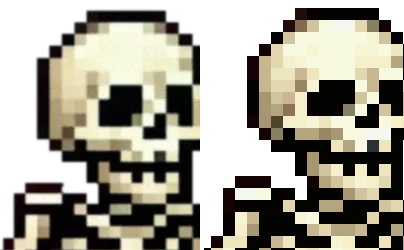 |
Connect
The server is hosted at https://gridize.dev/api/mcp (Streamable HTTP).
Nothing to install for clients that support remote servers.
The free tools need no key. For generation and animation,
create an API key (new accounts get
free trial credits) and replace YOUR_API_KEY; leave the header out to use
only the free tools.
Claude Code
claude mcp add --transport http gridize https://gridize.dev/api/mcp \
  --header "Authorization: Bearer YOUR_API_KEY"
Cursor
~/.cursor/mcp.json:
{
  "mcpServers": {
    "gridize": {
      "url": "https://gridize.dev/api/mcp",
      "headers": { "Authorization": "Bearer YOUR_API_KEY" }
    }
  }
}
Codex
~/.codex/config.toml:
[mcp_servers.gridize]
url = "https://gridize.dev/api/mcp"
http_headers = { "Authorization" = "Bearer YOUR_API_KEY" }
Antigravity
~/.gemini/antigravity/mcp_config.json:
{
  "mcpServers": {
    "gridize": {
      "serverUrl": "https://gridize.dev/api/mcp",
      "headers": { "Authorization": "Bearer YOUR_API_KEY" }
    }
  }
}
Claude Desktop and other stdio clients
This package is a small local bridge to the hosted server, for clients that only run local servers or cannot send headers. It needs Node.js 18 or later.
claude_desktop_config.json:
{
  "mcpServers": {
    "gridize": {
      "command": "npx",
      "args": ["-y", "gridize-mcp"],
      "env": { "GRIDIZE_API_KEY": "YOUR_API_KEY" }
    }
  }
}
Omit env to use only the free tools.
| Variable | Purpose |
|---|---|
GRIDIZE_API_KEY | API key for the credit-based tools (optional) |
GRIDIZE_MCP_URL | Server URL; defaults to https://gridize.dev/api/mcp |
Tools
| Tool | Key | Cost | What it does |
|---|---|---|---|
image_to_pixel_art | No | Free | PNG, JPEG or WebP up to 1024 px → native-size pixel art; automatic pixel size, a color limit or one of 25 palettes |
list_palettes | No | Free | The 25 palette presets (PICO-8, NES, Game Boy…) with their colors |
generate_pixel_art | Yes | 8 credits for one, 20 for four | Sprites at 16, 32 or 64 px from a prompt in any language; saved to your Gridize library |
animate_sprite | Yes | 30 credits up to 33 frames, 40 longer | Starts an animation from a 16–256 px PNG sprite and a motion prompt; returns an id |
get_animation | Yes | Free | The finished loop as a GIF and, on request, every frame as a PNG; failed clips are refunded |
get_credits | Yes | Free | Your balance and the price of each tool |
Prices are the same as in the Gridize studio.
Rendering an animation takes a few minutes; the agent polls get_animation.
Limits and privacy
- Free tools: 10 calls a minute per address; images up to 10 MB and 1024 px on the longer side.
- Images sent to the converter are processed in memory and not stored. Generated sprites and animations are saved to your Gridize library, where you can change timing or export sprite sheets.
- The bridge forwards requests to gridize.dev and stores nothing locally.
Development
npm install
npm test        # calls the live server; set GRIDIZE_API_KEY to test a key
License
MIT for the code in this repository. Use of the hosted service follows the Gridize terms.
gridize-mcpnpm install gridize-mcp