
youtube-for-ai-agents
io.github.JCodesMore/youtube-for-ai-agents
Search YouTube, read transcripts, see frames, read comments, and clip videos. No API key.
Documentation

YouTube for AI Agents
Your AI agent watches YouTube so you don't have to
Ask "what's the best video on…?" and your agent finds it, watches it, and tells you what matters. Paste a two-hour podcast and get the highlights with timestamps. Read the comments, see what's on screen, cut clips and build reels, all from chat.
No API key, no account. Works in Claude Code, Codex, Cursor, OpenCode and Gemini CLI.

Quick Start · Try it · Other agents · Troubleshooting


Demo
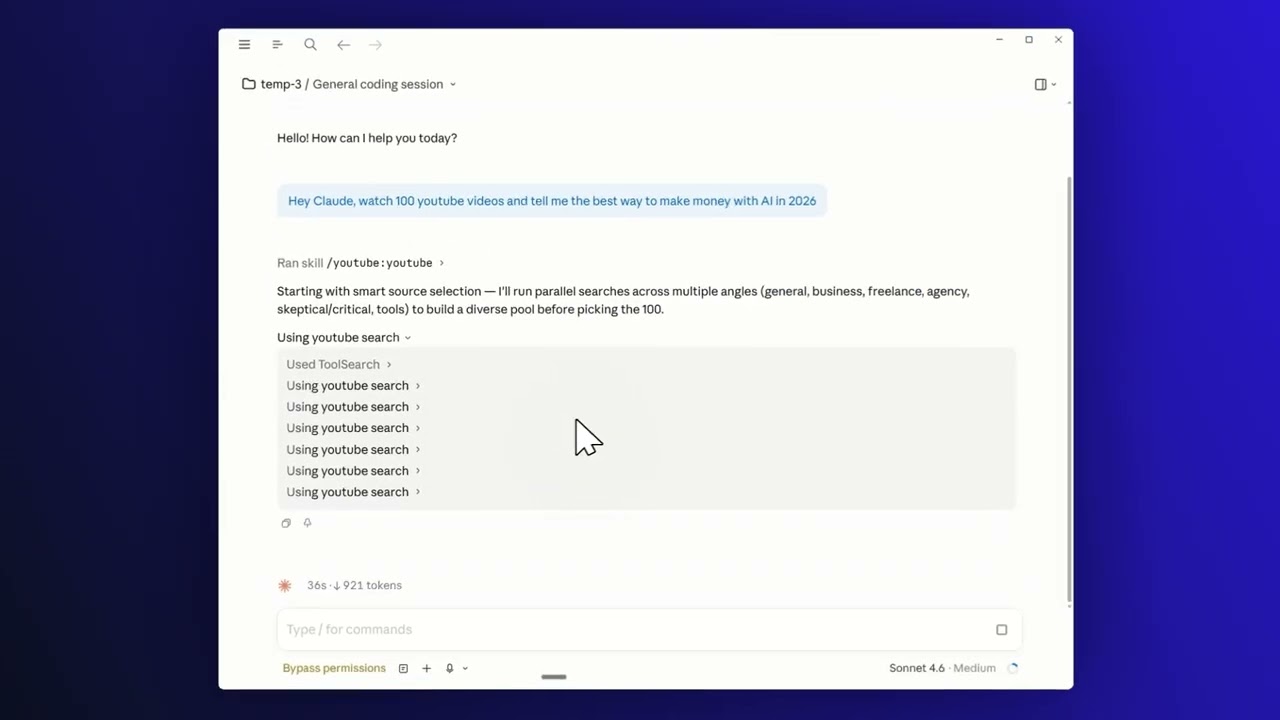
Click the image to watch the one-minute walkthrough.
Quick Start
You need Node.js 22 or newer. Check with node --version.
Easiest: ask your agent. Paste this into Claude Code, Codex, Cursor or any coding agent:
Install the YouTube for AI Agents plugin for me, following
https://github.com/JCodesMore/youtube-for-ai-agents#quick-start.
Make sure Node.js 22 or newer is installed first. When it's in,
run its doctor check and tell me if I need to restart.
Or install it yourself in Claude Code:
claude plugin install youtube --marketplace JCodesMore/jcodesmore-plugins
Inside a Claude Code session the same thing is two commands:
/plugin marketplace add JCodesMore/jcodesmore-plugins
/plugin install youtube@jcodesmore-plugins
Restart Claude Code, and start asking.
Try it
- "Watch this and give me the recipe: https://youtu.be/…"
- "Find me five highly rated videos on Roman history and tell me which to watch first."
- "What are this channel's best uploads? Watch the top three and compare them."
- "Pull the actionable takeaways from this 90-minute interview, with timestamps."
- "What's the code on screen at 12:30?"
- "What do the comments say about this review?"
- "Cut 2:15 to 2:45 from this video."
- "Make a one-minute highlight reel of the best moments from these three talks."
What's inside
| Tool | What it does |
|---|---|
youtube_search | Find videos, channels or playlists, with date, length and sort filters |
youtube_get_transcript | Read what was said, with timestamps, in the spoken language or translated |
youtube_get_video_info | Title, channel, views, description, chapters and tags |
youtube_get_frames | See what's on screen at given moments |
youtube_get_comments | Read the top or newest comments |
youtube_get_channel_info | A channel's details |
youtube_get_channel_videos | A channel's newest, most popular or oldest uploads |
youtube_get_playlist | A playlist's videos |
youtube_download | Save a video (MP4) or its audio (M4A) |
youtube_clip | Cut moments by timestamp, downloading only those parts, and join them into a reel |
youtube_highlight_reel | Join clips from different videos into one reel |
Every tool takes a YouTube link as you'd paste it (watch, youtu.be, Shorts, live, embed) or a bare ID.
In Claude Code you also get the youtube skill, which teaches the agent to research and watch well; the video-watcher agent, which watches videos in parallel for bigger research; and /youtube:setup, which checks everything works and handles sign-in and settings.
Downloads and clips use yt-dlp and ffmpeg. If they aren't on your computer, the plugin fetches official builds the first time you need them.
Other agents
The tools are an MCP server, so any MCP client can use them. Full guides: Codex · Cursor · OpenCode · Gemini CLI · Claude Code
Codex
codex mcp add youtube -- npx -y @jcodesmore/youtube-for-ai-agents
Gemini CLI
gemini extensions install https://github.com/JCodesMore/youtube-for-ai-agents
Cursor, OpenCode, Claude Desktop, VS Code and any other MCP client
Add this server to the client's MCP settings:
{
  "mcpServers": {
    "youtube": {
      "command": "npx",
      "args": ["-y", "@jcodesmore/youtube-for-ai-agents"]
    }
  }
}
Signing in (optional)
Everything works without an account. Signing in helps when YouTube rate-limits your network (common on VPNs and cloud machines), unlocks age-restricted videos, and makes search reflect your own history. In Claude Code run /youtube:setup; anywhere else run:
npx @jcodesmore/youtube-for-ai-agents login
A separate browser window opens with its own profile. Sign in to Google there, and the window closes itself once the sign-in is saved. Your sign-in stays on your computer in ~/.youtube-for-ai-agents; logout removes it.
Troubleshooting
Run the built-in check. It tests search, video details and a transcript from your computer, and says what to fix:
npx @jcodesmore/youtube-for-ai-agents doctor
The agent says it can't open YouTube videos, or there are no youtube tools
The server didn't start, which almost always means Node.js is missing or too old. Install Node.js 22+ from nodejs.org, then fully restart your agent. In Claude Code, /mcp shows whether youtube is connected.
Transcripts fail with "rate limited" or "confirm you're not a bot"
YouTube limits transcript requests per network, more on VPN and cloud IPs. It clears within an hour or so. Signing in usually avoids it, and transcripts you've read are cached for a week. You can also route traffic through a proxy (needs Node.js 22.19 or newer):
npx @jcodesmore/youtube-for-ai-agents config set network.proxy http://user:pass@host:port
Settings
npx @jcodesmore/youtube-for-ai-agents config            # show every setting
npx @jcodesmore/youtube-for-ai-agents config set transcript.defaultLanguage en
npx @jcodesmore/youtube-for-ai-agents config reset
Settings, sign-in, cached transcripts and the downloaded yt-dlp and ffmpeg live in ~/.youtube-for-ai-agents. Set YOUTUBE_AI_AGENTS_HOME to move it, and YOUTUBE_AI_AGENTS_DEBUG=1 for detailed logs.
Still stuck? Ask in Discord or open an issue with the doctor output.
Community
Discord for help and show-and-tell · Issues for bugs and ideas · Contributing · More plugins
Built on
- Model Context Protocol SDK
- YouTube.js, an InnerTube client that needs no API key
- youtube-transcript-plus
- yt-dlp and ffmpeg for media
License
Apache License 2.0. © 2026 JCodesMore
Not affiliated with, endorsed by, or associated with YouTube or Google. Download only what you have the right to, and respect creators' rights and YouTube's terms.
@jcodesmore/youtube-for-ai-agentsnpm install @jcodesmore/youtube-for-ai-agents