
remocn
dev.remocn/remocn
Hosted MCP for Remotion videos: search Remocn components, read docs, plan a video, preview it.
Documentation

Remocn: Claude Code plugin & agent skill for making Remotion videos
Remocn is a Claude Code plugin, agent skill and MCP server for making Remotion videos from 932 MIT-licensed Remotion components. Your agent plans a storyboard, installs the components into your Remotion project with the shadcn CLI and writes the video: a product demo, a launch video, a changelog video or a social clip.
Works with Claude Code, Codex, Cursor, GitHub Copilot and any agent that loads skills or connects to MCP.
npx skills add Remocn/remocn
Install
Pick one. The plugin already includes the skill and the MCP server.
| You use | Install | You get |
|---|---|---|
| Claude Code | /plugin install remocn --marketplace Remocn/remocn | The /remocn:video workflow, helper agents, the skill and the MCP tools |
| Codex | codex plugin marketplace add Remocn/remocn then codex plugin add remocn@remocn | The same plugin |
| Cursor, Copilot or any agent that loads skills | npx skills add Remocn/remocn | The agent skill |
| Any MCP client | https://remocn.dev/mcp | The MCP server: search, docs, video plans, previews |
| Your own hands | npx shadcn@latest add @remocn/blur-reveal | One component's source in your repo |
Remotion is a prerequisite. The plugin creates a project in an empty folder; by hand it's npx create-video@latest.
Make a Remotion video with Claude Code
/remocn:video 30-second product demo for Tasklane, a shared task inbox for small teams
/remocn:video runs brief → storyboard → install → compose → visual check → hand-off. It stops after the storyboard so you can change direction before any code is written. Then the scene-reviewer agent renders stills of every beat and checks them for clipped text, empty frames and low contrast. The video lands in src/videos/<slug>/index.tsx; render it with npx remotion render <slug> or open it in Remocn Studio.
Also in the plugin: /remocn:changelog turns git tags, commits or merged PRs into a changelog video, /remocn:add <name> installs and places one component, /remocn:studio opens the project in Remocn Studio. Plugin docs.
What you can make
| Video | Guide |
|---|---|
| Product demo video from your codebase | Product demo |
| Launch video | Launch video |
| Changelog video | Changelog video |
| Feature announcement | Feature announcement |
| Teaser | Teaser |
| Showcase reel | Showcase reel |
The registry has text animations, transitions, backgrounds, shaders, camera and physics shots, captions, filters, UI primitives, app-screen simulations (AI chat composers, Claude Code, v0, terminals), animated icons and full video templates (Release Teaser, Brand Guidelines, Workflow Console, Product Showcase, Order Flow).
Gallery
 Text animations |  Transitions |  Shader backgrounds |
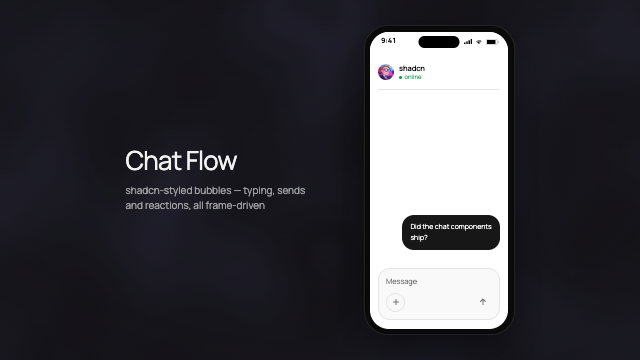 Chat primitives | 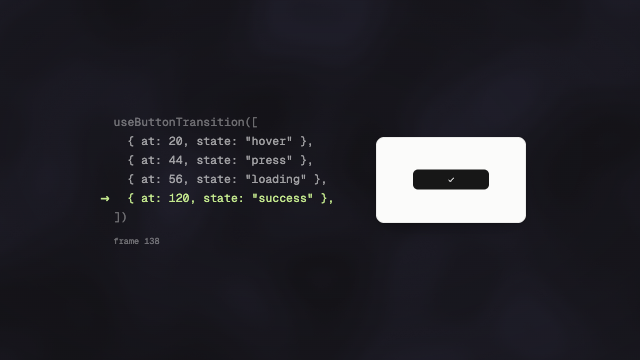 UI primitives |  Animated icons |
Every clip above was made with Remocn components. More in the video changelog, and every component has a live, scrubbable preview in the docs.
Craft rules: what we ban
Agent-made Remotion videos look generic for the same few reasons. The Remocn skill and the plugin's scene-reviewer hold your agent's own additions to these rules (why AI videos look generic, Craft):
- No glow halos or blurred color blobs behind headings
- No gradient-filled text. Mark the one word that matters with weight, the accent or a highlight
- No decorative ALL-CAPS or wide letter-spacing. Sentence case, default tracking
- No more than one accent color
- No panels that all pop in on the same frame. Stagger entrances, one focal action per beat
- No clipped animations. Every component states its length in frames; a
Sequenceis never shorter - No invented generic dashboards. Show a believable product surface or your real screenshots
- No lorem or "Scene A" placeholder copy
- No
Math.random(). Randomness is seeded, so every render is the same - No invented props or durations. The agent reads the component's page before it uses it
Components whose effect is the point (tracking-in, shader gradients) are exempt; the rules apply to what the agent writes by hand.
Remotion's official skills vs Remocn
They answer different questions and work together.
| Remotion's official skills and plugin | Remocn plugin and skill | |
|---|---|---|
| Answers | How to write correct Remotion code | What goes on screen: which component for each beat, for how many frames |
| Install | npx skills add remotion-dev/skills | /plugin install remocn --marketplace Remocn/remocn or npx skills add Remocn/remocn |
| Output | Code the agent writes from scratch | Code built from installed component source files, in your repo |
| Ready-made scenes | No | 932 components and full video templates |
| Cost | Free; Remotion may need a company license | Free, MIT; Remotion's license still applies |
We ran both setups on the same 15-second brief on November 10, 2026, with timings, costs and both MP4s: the test.
Remotion MCP server (hosted)
Remocn runs a hosted MCP server for making videos with Remotion at https://remocn.dev/mcp. Add the URL to Claude Code, Cursor, Codex or any MCP client. There's no API key and no account.
| URL | https://remocn.dev/mcp |
| Transport | Streamable HTTP |
| Auth | None |
| Access | Read-only; it does not render video |
| License | MIT, free |
| Clients | Claude Code, Claude Desktop and claude.ai, Cursor, VS Code, Codex, any Streamable HTTP client |
Tools:
search_components: find Remocn components by query, vibe or length in framesget_component: one component's docs as Markdown: props, usage example, install commandplan_video: turn a brief into a beat-by-beat storyboard with component pickspreview_component: a live preview link, played inline in clients that support MCP Apps
Claude Code:
claude mcp add --transport http remocn https://remocn.dev/mcp
Codex:
codex mcp add remocn --url https://remocn.dev/mcp
Cursor (.cursor/mcp.json):
{
  "mcpServers": {
    "remocn": { "url": "https://remocn.dev/mcp" }
  }
}
Your agent installs what it picks with npx shadcn@latest add @remocn/<name>, and you render with Remotion as usual. Setup for every client: MCP server docs. Comparing options? See Remotion MCP servers compared.
Remocn Studio
Rather direct the video than write it? Remocn Studio is a free, open-source macOS app where your own coding agent (Claude Code, Codex, GitHub Copilot or Grok) builds the video from Remocn components while you watch the live preview and export.
Why Remocn
- Production-ready Remotion code. Every component uses
useCurrentFrame(),interpolate()andspring()correctly, with noMath.random()traps that break rendering. - Own your code. Components are copied into your project by the shadcn CLI, not installed as a runtime dependency. Change them however you like.
- Live previews. Each component page mounts a real
@remotion/playeryou can scrub frame by frame. - Built for agents.
/llms.txt,/llms-components.txtand a Markdown version of every docs page (append.md). The skill reads the live index, so it never goes stale.
FAQ
Is there a Claude Code plugin or skill for creating Remotion videos?
Yes. Remocn's plugin (/plugin install remocn --marketplace Remocn/remocn) adds the /remocn:video workflow and 932 ready-made components; the skill (npx skills add Remocn/remocn) adds the catalog alone. Remotion also maintains official skills that teach Claude its API, and the two work together.
Does it work in Cursor or Codex?
Yes. The plugin installs in Claude Code and Codex. In Cursor, install the skill with npx skills add Remocn/remocn or add the MCP server at https://remocn.dev/mcp.
Is Remocn free? Is it official?
Remocn is free and MIT-licensed, with no account, servers or usage limits; you render wherever you run Remotion. It is an independent community project, not affiliated with Remotion or shadcn. Remotion keeps its own license, and larger companies may need a Remotion company license.
Is it a video editor or text-to-video API?
No. There's no timeline and no hosted rendering, and it doesn't edit footage. The agent writes React code from components into your Remotion project.
Sponsors
Remocn is free and MIT-licensed. These sponsors keep the registry growing and the renders fast.
 | ||||||||||||||
 |  |  |  |  | ||||||||||
Become a sponsor to get your logo on the landing page, in the docs sidebar and here.
No installation packages available.